Every page in place.
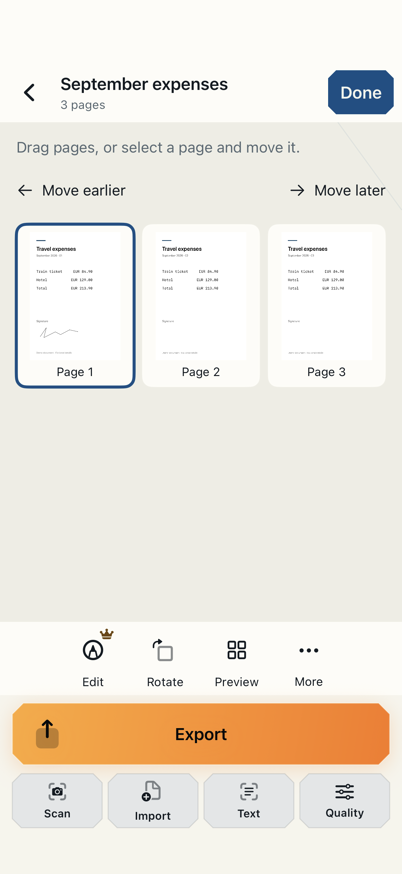
Add pages, then drag them or move them one position at a time. Put everything in the right order.
For iPhone & iPad · coming soon
An invoice, a letter or a receipt: scan it with your iPhone or iPad camera, straighten the pages and share a PDF for free. With Premium, you can also edit existing PDFs, add your signature and redact private details for sharing.
Scan and export standard PDFs without watermarks. Three active documents. Search and copy text in scans (OCR) on the first five pages of each document.
Regular German App Store price; local prices may vary. Add to or merge existing PDFs, fill forms, highlight, sign and redact. OCR on every page. No subscription.
01 / From camera to PDF
Scan an invoice, letter or receipt with your camera. Keep multiple pages in one document.
Check corners and perspective, adjust your scan and put the pages in the right order.
Save or share your finished document. Standard PDFs are free and have no watermark.
Discover what’s possibleTap to explore
Free
GOAT helps you scan the paper invoice with your camera. Check the pages and share a PDF, ready for the recipient.
Free
One receipt is missing from your expense claim? Take it out of your pocket, scan it with GOAT and share a readable PDF.
Free
GOAT brings all three paper pages into one PDF. Scan them, check the order and share the complete letter.
Add to existing PDFs, too
You have the PDF. The receipt is still on paper. With Premium, bring existing PDFs and fresh camera scans together. You can also merge two documents already in your library into a new file. Then arrange, edit and share the pages as one PDF; the source documents stay intact.
Discover what’s possibleTap to explore
Premium
You already have the claim PDF. Add a scan of the receipt with GOAT and send both documents to the retailer in one file.
Free · PDF import: Premium
Move the cover letter to the front in GOAT and arrange the certificates behind it. Check the order, then export your application as a PDF.
Premium
Merge two documents already saved in GOAT into a new file. Keep the originals, arrange the result and check private details before sharing.
Import your existing document. Your source file stays unchanged.
Scan new pages or import more PDFs. New pages go at the end first.
Drag pages into place or move them one position at a time.
Save or share one organized PDF. No watermark.
Example: A and B are already in the PDF. Scan C and PDF page D are added. Then C is moved between A and B.
PDF import requires Premium. Arranging pages and standard PDF export are already included in Free.
Add pages, then drag them or move them one position at a time. Put everything in the right order.
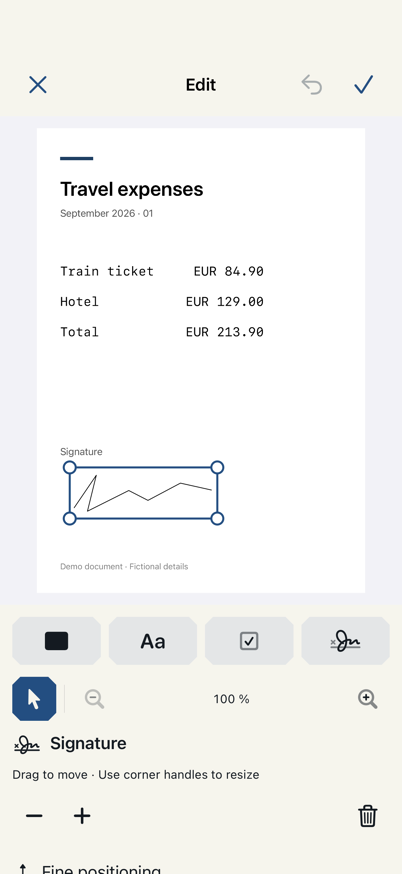
Fill forms, add text and signatures, highlight passages and leave notes with Premium. Edit your added text again later.
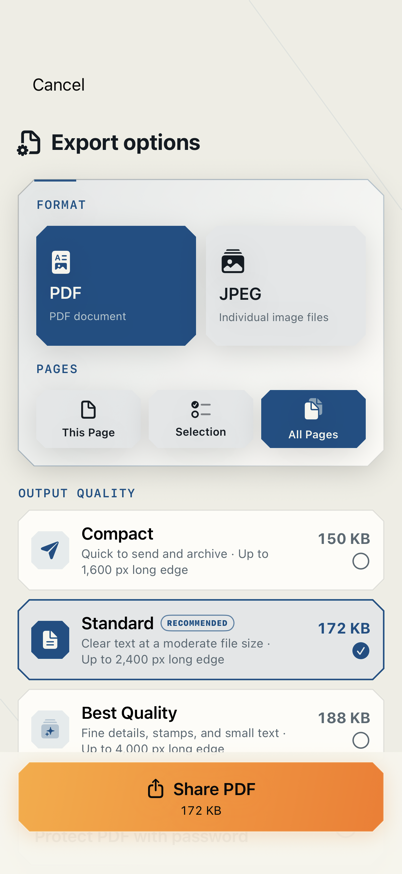
Export one page, selected pages or the whole document. Standard PDFs stay free.
Current app views with fictional example data. Scanning and standard PDF export are free; PDF import and editing tools require Premium.
Discover what’s possibleTap to explore
Free
Export a standard PDF and use the share sheet to send it. Free and without a watermark.
Free
Export one page, a selection or the whole document. Check your selection before sharing.
Premium
Choose compact export quality with Premium. Then check that text and details are still readable.
02 / More than a camera roll
Recognize text, review pages, sign and redact private details. All in one app.
Freshly scanned or imported as a PDF: use Premium to add content, sign and redact private details for sharing.
Draw with your finger or Apple Pencil. Select, move and resize signatures, text and check marks again later. Change scan filters without losing your additions.
Discover what’s possibleTap to explore
Premium
Open the school form in GOAT, draw your signature and share the copy. For situations where a drawn signature is accepted.
Premium
Fill interactive checkboxes directly in GOAT when the PDF has them. Otherwise place checkmarks on the page, then export the form as a PDF.
Premium
Add a text box to the empty space with GOAT. Enter the order reference, adjust its size and export the finished copy.
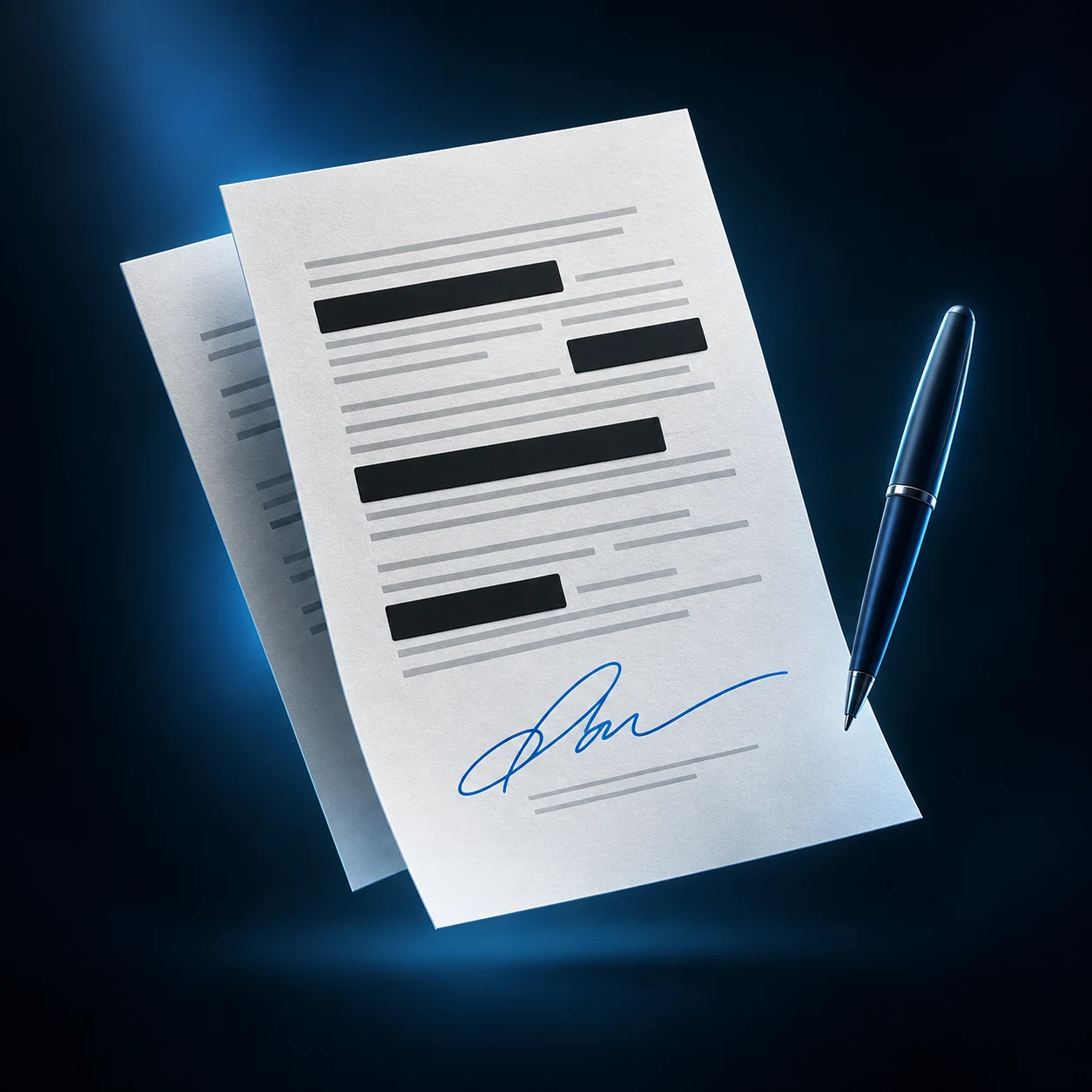
The entire selected PDF is rebuilt on export from page images with the redactions already applied. Fully covered content is not carried over as hidden original text or separate original images. The old OCR text layer and editable PDF annotations are also left out.
Discover what’s possibleTap to explore
Premium
Use GOAT to cover the address completely. Share the exported copy: it does not retain the covered original text.
Premium
Cover account details completely with GOAT and export the sanitized copy. Check other pages, visible details and the filename too.
Premium
Redaction is baked into the exported page images. Your editable original stays local; the export copy is not searchable.
Redaction applies to the export copy; your editable original stays local. The copy is not searchable. Check all pages, coverage and filenames before sharing. Visible details may reveal information. Drawn signatures are not certified digital signatures.
Search and copy printed text. Need just an IBAN or a name? Select the small area right on the page, check the result and copy it. Recognition runs on your device – even offline.
Capture the paper with your camera.
The app turns printed content into text.
Find words and reuse the recognized text.
Example: search the recognized text
Invoice September 2026
Invoice total: €84.90
Free: first 5 pages per document. Premium: every page. Check recognized text before reusing it.
On-device analysis suggests names, topics and key details with source references, helping you find scans later. Apple Intelligence adds support on eligible devices when enabled; basic analysis works without it too.
Find it. Skip the scrolling. Bring order to your documents with your own colored categories and tags. Search combines words across titles, categories, tags and recognized text – for example, “Home Warranty”. Suggested filters and clear match details help you find the right file. Select several documents and assign a category together, all in Free.
Discover what’s possibleTap to explore
Free: 5 pages · Premium: all
Scan the school letter and search for “registration” in GOAT. Compare the passage with the original before relying on the deadline.
Free & Premium
Zoom in and draw a small box around the reference. GOAT recognizes that selected area; check and copy the digits.
Premium
The app suggests recognized details with their source location. Check each suggestion against the document.
Subtle hints identify the page that needs attention. Use suggested improvements for faint text or shadows, then check the result before sending.
Discover what’s possibleTap to explore
Free
Check the corners and perspective and adjust the scan. Make sure all content remains visible before exporting.
Premium
Quality and review hints help you take a final look. Check unclear areas yourself and rescan if needed.
Premium
Review hints highlight areas that deserve attention. You decide whether the page is ready to share.
 Document protection
Your PDFs. Your business.
Text recognition and document analysis run on your device. Your working copy stays local; choose an additional backup folder and share the export copy you need.
Manual backup and restoration are free. Premium adds daily automatic cloud copies during app use, a vault with Face ID, Touch ID or device passcode, and PDF password protection. Cloud backup is an additional copy, not live sync.
Discover what’s possibleTap to explore
Premium
The biometric library lock protects access inside the app. It does not lock files you have already shared.
Premium
Optionally set a password when exporting a PDF. Share it deliberately with the person who should open the file.
Free & Premium
Scans and text recognition are processed on your device. You choose where to export; backups follow your settings.
Simply explained
To turn paperwork into a finished task. Camera scanning, page arrangement and standard PDF sharing are free. Premium adds tools for existing PDFs, signatures and redaction. On-device processing and a clear one-time purchase round out the experience: the tools from your first scan to the finished file, together in one app.
Go from paper to a PDF ready to send: scan any number of pages, correct perspective, arrange pages and export without watermarks. Free keeps up to three active documents and recognizes text on the first five pages of each document. Saved documents remain usable and exportable.
For a one-time €9.99 in the German App Store, you get PDF tools for tasks that come around again and again: add content to existing PDFs, sign, redact and search and copy text on every page (OCR). Additional export and protection tools are included.
One purchase. Ready for your next school form, job application and invoice.
Premium is a lifetime license linked to your Apple Account: the included Premium features are unlocked permanently, with no expiry or recurring fees. Restore your purchase on a compatible iPhone or iPad using the same Apple Account. Your local store price is shown before purchase.
Approximate comparison using published German price examples: cappuccino €5.20 (February 2026), Big Mac €7.99 for delivery in Berlin (August 2026). Location, size, promotions and delivery prices vary. GOAT price: regular German App Store price.
Open it in GOAT with Premium, add missing scans or PDF pages and arrange them. You can merge two saved documents into a new one while keeping the sources intact. Fill supported interactive PDF forms with text, selection and checkbox fields. You can also add text, checkmarks, highlights, notes and a drawn signature. Change original body text in the source document; digital signatures are not re-signed, and complex forms are not fully supported.
OCR stands for Optical Character Recognition. GOAT makes printed text in your scans searchable and copyable. For example, scan an invoice and copy its reference instead of typing it out. For a single detail such as an IBAN or a name, select a small text area right on the page, check the result and copy it. Recognition runs on your iPhone or iPad, even offline. Free recognizes text on the first five pages of each document; Premium covers every page.
Create categories with your own names and colors, then add tags. Accept text-recognition suggestions with a tap. Try a search such as “Home Warranty”: the words can appear across the title, category, confirmed tags or recognized text. Combine a category and several tag filters to narrow the results; all selected terms must match. Results explain where the match came from. Use Select to assign a category to several documents together. Categories, tags and search are included in Free; text search follows its OCR page allowance.
Your scans, text recognition and document analysis are processed directly on your iPhone or iPad, with text recognition working offline too. Analysis suggests document names, topics and details with source references you can check. Apple Intelligence can add support on eligible devices; basic on-device analysis remains available without it. Start without a GOAT account and choose when and where to share files. Device backups follow your settings; you can also keep separate copies of important documents.
Use Premium to cover confidential areas completely. GOAT exports a sanitized copy with the redaction baked into its page images, removing the covered original text. Your local draft stays editable. Share the exported copy and check all pages, visible details and the filename first. The redacted copy contains images rather than searchable text.
Sign in with the Apple Account you used to buy Premium and choose Restore Purchases. This unlocks your existing purchase again. Move your documents separately: create a full library backup and restore it on the new device under Storage & Backup. PDF exports are for sharing; a full backup also retains the editing state.
Choose an additional destination in Storage & Backup and tap Back up now. The full library copy contains pages, OCR and editing states. On the second device, open Restore backup and choose Library.goatbackup from the saved folder. GOAT imports it as new documents while keeping existing documents intact. Manual backup and restoration are free. Premium adds daily automatic copies during app use. Keep an additional copy of important documents. Full backups also contain originals from before redaction; use the sanitized PDF export copy for sharing.
The app, website and help are available in German and English. The app automatically follows your preferred supported iOS language. In Settings & Help, Change app language in iOS takes you to the language preference for GOAT only. Use DE/EN on the website. Text recognition detects a document’s language separately; this does not add another language to the entire app.
Draw your signature with your finger or Apple Pencil and place it on a scan or imported PDF with Premium. Adjust its size and position, then share a copy. Use this when the recipient accepts a drawn signature; a qualified electronic signature requires an appropriate signing service.
Your next good scan
Less paperwork. More time for everything else.
Coming to the App Store
The app is still in testing. A direct App Store link will appear here at launch. No purchases can be made through this website.
Free and Premium questions